
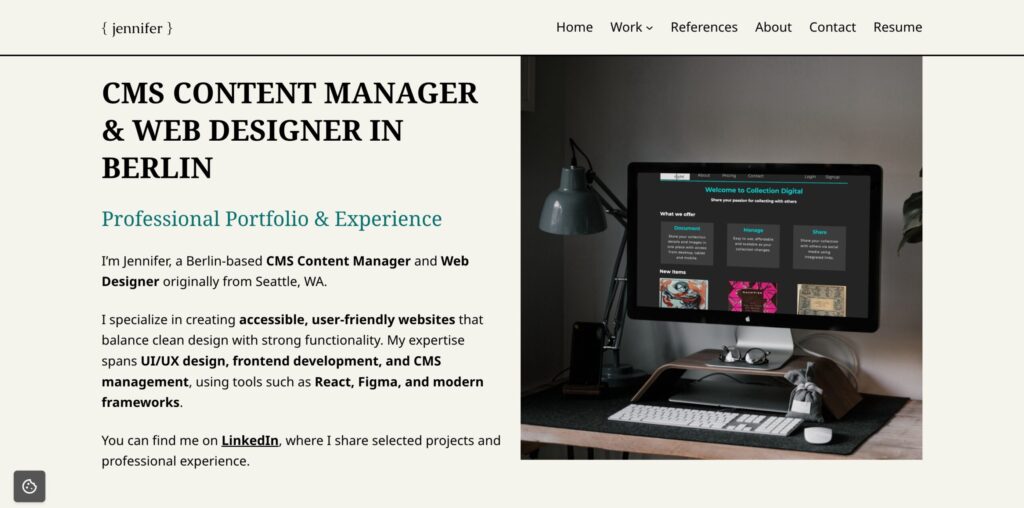
This portfolio website was designed and developed by me in WordPress, showcasing my skills as a CMS Content Manager & Web Designer. It demonstrates hands-on experience with WordPress setup, plugin management, SEO optimization, frontend development, and performance tuning — all tailored to create a professional, accessible, and user-friendly portfolio.
Learn more about me →
Creating a Responsive WordPress Portfolio – CMS & Web Design
When creating this portfolio site, I had two main goals:
- Showcase my work in Web Design, UI/UX, Frontend Development, and CMS content management.
- Demonstrate the ability to build, optimize, and manage a professional WordPress website from scratch.
This project highlights both my creative design skills and technical CMS expertise, providing a tangible example of my qualifications for recruiter-focused roles.
WordPress CMS & Theme Foundation
CMS: WordPress
I chose WordPress because it’s widely used in professional web projects and aligns directly with the type of CMS management and web design roles I am targeting. It allows me to demonstrate hands-on experience with customizations, plugins, and site optimization.
Theme: Riverbank
I selected Riverbank because it’s lightweight, responsive, and highly customizable. It provides full control over typography, layout, and spacing — essential for creating a clean, professional portfolio without unnecessary bloat.
CMS Tools & Plugins for WordPress Optimization
I carefully selected plugins and tools to enhance performance, SEO, and site management:
- Rank Math SEO – for on-page SEO, meta management, and sitemaps.
- MonsterInsights + Google Analytics – to track user interactions and continuously improve UX.
- Akismet Anti-Spam – to maintain clean forms and comment sections.
- Local Google Fonts Hosting – for GDPR compliance, faster performance, and consistent typography.
These choices demonstrate my ability to manage, optimize, and secure a professional WordPress website.
Frontend Development & UX Design Choices
I implemented custom CSS for typography, breadcrumbs, and spacing to create a consistent design that reflects my personal style. The minimalist layout ensures clarity, readability, and a focus on showcasing portfolio projects without distractions.
These UX and frontend development choices show my understanding of user-centered design, accessibility, and web best practices.
Portfolio Website Outcome – CMS & Web Design Skills Demonstrated
This portfolio reflects both my creative design skills and technical CMS proficiency. Key outcomes include:
- Site setup and configuration
- SEO and performance optimization
- Plugin integration and management
- Custom design adjustments with CSS
- Adherence to web best practices: accessibility, analytics, GDPR compliance